ASUS ROG Strix G18 (2025) Review – 18" 2.5K 240Hz Gaming Laptop with RTX 5080, Core Ultra 9, 64GB RAM, 8TB SSD
“This link will take you to Amazon.”
Affiliate disclaimer:
This article may include affiliate links. If you purchase the ASUS ROG Strix G18 through one of these links, I may earn a small commission at no extra cost to you. This helps support honest, independent tech reviews.
ASUS ROG Strix G18 (2025) Review – 18″ 2.5K 240Hz Gaming Laptop with RTX 5080, Core Ultra 9, 64GB RAM, 8TB SSD
The ASUS ROG Strix G18 (2025) is one of the most powerful gaming laptops you can buy: an 18‑inch, 2.5K 240Hz “big‑boy” gaming rig packed with an NVIDIA GeForce RTX 5080 GPU, an Intel Core Ultra 9 275HX CPU, up to 64GB of DDR5‑5600 RAM, and up to 8TB of PCIe‑Gen‑4 NVMe SSD storage. It’s built for high‑end gaming, livestreaming, 4K/240Hz esports, and serious content creation, all in a desktop‑replacement‑style chassis with a 16:10 screen and advanced cooling and Wi‑Fi 7.
In this review, we’ll break down the display, CPU/GPU performance, RAM and storage, cooling, audio, and who this laptop is really for, so you can decide if the ROG Strix G18 is worth the price tag for your setup.
1. Introduction
The ASUS ROG Strix G18 (2025, Eclipse Gray) is not a “portable‑gaming‑on‑the‑go” machine; it’s a semi‑portable powerhouse designed for:
High‑FPS competitive gaming at 240 Hz.
4K/AAA‑gaming and 1440p‑240Hz esports.
Content creation and streaming (video editing, 3D, heavy multitasking).
Home‑gaming setups and esports‑style desktop replacement.
The configuration you listed (64GB DDR5, 8TB SSD, RTX 5080, Core Ultra 9 275HX, 18‑inch 2.5K 240Hz Nebula Display) is the top‑tier spec, pushing very close to what many people would get in a mid‑to‑high‑end custom desktop PC.
2. Key Specs Overview
Here are the main specs of your listed configuration:
Display: 18″ 2.5K 16:10 2560×1600, 240 Hz, Pantone‑validated, 100% DCI‑P3, Nebula Display with anti‑glare coating.
GPU: NVIDIA GeForce RTX 5080 16GB GDDR7 (with DLSS 4, Ray Tracing, Frame Generation, and Advanced Optimus).
CPU: Intel Core Ultra 9 275HX (24 cores: 8 Performance + 16 Efficient, 24 threads, up to 5.4 GHz).
RAM: 64GB DDR5‑5600 (dual‑channel, high‑speed, gaming‑oriented).
Storage: 8TB PCIe‑Gen‑4 NVMe SSD (≈7,000 MB/s read speeds) with PCIe‑Gen‑5‑ready slots for future upgrades.
Cooling: ROG Intelligent Cooling with end‑to‑end vapor chamber, Tri‑fan design, and Conductonaut Extreme liquid‑metal thermal paste.
Networking: Wi‑Fi 7 and Bluetooth (for ultra‑low‑latency wireless, if your router supports Wi‑Fi 7).
OS: Windows 11 Pro (good for content creators who want more control and features).
At this spec level, you’re effectively buying a laptop‑form DIY‑desktop equivalent with a built‑in 240 Hz 18‑inch display.
3. Display: 18‑inch 2.5K 240Hz Nebula Panel
The 18‑inch 2.5K 16:10 Nebula Display is one of the standout features:
Resolution: 2560×1600 (16:10 aspect), which gives you extra vertical real estate for multitasking and UI space, while still matching 1440p‑style workflows.
Refresh rate: 240 Hz, ideal for esports titles (Valorant, CS2, Fortnite, Apex, etc.) and fast‑motion games that benefit from super‑smooth motion.
Color accuracy:
Pantone‑validated colors.
100% DCI‑P3 coverage, strong contrast, and an anti‑glare coating make it very good for content creation and color‑sensitive editing.
The new ACR film improves contrast and glare control, so the screen stays usable in bright rooms or with overhead lights on.
For many users, this 18‑inch 2.5K 240 Hz panel strikes a sweet spot between size, clarity, and refresh rate, especially if you position it as a desk monitor replacement rather than a portable‑screen‑only device.
4. CPU & GPU Performance
4.1 Intel Core Ultra 9 275HX – 24‑Core Powerhouse
The Core Ultra 9 275HX is a desktop‑grade mobile CPU:
8 Performance + 16 Efficient cores, 24 threads, up to 5.4 GHz boost.
Designed for heavy multitasking, gaming, rendering, and AI‑assisted workflows.
This CPU alone can handle:
Running multiple games, streams, OBS, and background apps at the same time.
Video editing, 3D rendering, and coding at near‑desktop‑PC levels.
It’s more than enough for any gaming‑centric workload, and the extra efficiency cores help with power management and background workloads even when the performance cores are maxed out.
4.2 NVIDIA GeForce RTX 5080 – Next‑Gen Ray‑Traced 240 Hz
The RTX 5080 (16GB GDDR7) is a high‑end laptop GPU with:
DLSS 4 (AI‑upscaling) for smoother high‑resolution gameplay.
Ray Tracing and Frame Generation for immersive lighting and smoother motion at high frame rates.
Advanced Optimus dynamically switching between integrated GPU and dGPU to optimize battery life and performance when not gaming.
For 2.5K 240 Hz:
In esports titles, expect very high FPS (often 200+ FPS at high settings).
In AAA games, you can target high‑refresh 2.5K with ray tracing turned on, using DLSS 4 to keep frame rates stable.
If you’re planning to stream heavily while gaming, this GPU has enough headroom to handle encoding and game rendering at the same time, especially with 64GB RAM and a fast CPU.
5. RAM, Storage, and Upgradability
5.1 64GB DDR5‑5600 RAM
64GB of DDR5‑5600 is overkill for most gamers but excellent for:
Virtual machines, large workspaces, and content creation.
Heavy multitasking (many apps, browsers, and games open at once).
For pure 2.5K 240 Hz gaming, 32GB is usually enough, but 64GB future‑proofs the system for years.
5.2 8TB PCIe‑Gen‑4 NVMe SSD
8TB is a massive amount of fast storage for:
Game libraries (dozens of AAA titles).
Video projects, 4K footage, and large assets.
PCIe‑Gen‑4 speeds up to ≈7,000 MB/s keep load times very low and file transfers quick.
PCIe‑Gen‑5‑ready slots mean you can later add Gen‑5 drives as they become more affordable, keeping the system modern for years.
Practically, this storage setup is closer to a high‑end desktop workstation than a typical gaming laptop.
6. Cooling: ROG Intelligent Cooling System
Running a Core Ultra 9 275HX and an RTX 5080 in a laptop chassis requires serious cooling. The ROG Intelligent Cooling system includes:
End‑to‑end vapor chamber for efficient heat spreading across the CPU and GPU.
Tri‑fan design for strong airflow.
Conductonaut Extreme liquid metal between the CPU and heatsink for better thermal conductivity than standard thermal paste.
This combination is designed to:
Keep clock speeds high during long gaming sessions or rendering tasks.
Allow the machine to stay quiet(ish) under moderate loads, while still being loud under heavy, sustained load (as expected with high‑power laptops).
It’s important to note that this is still a big, hot machine; you’ll want good desk airflow and maybe a cooling pad if you push it hard for extended periods.
7. Audio, Build, and Features
Anti‑glare coating and HD audio add to the desktop‑monitor feel; the display is comfortable for long sessions, and the built‑in speakers are improved over basic laptop speakers, though many gamers will still plug in a headset or external audio system.
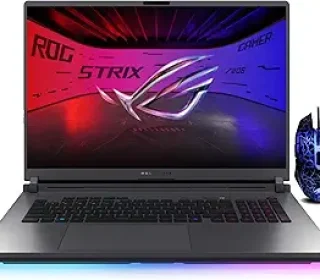
The Eclipse Gray chassis is large and sturdy, with a gaming‑laptop aesthetic that’s more “serious desktop replacement” than ultra‑portable ultra‑thin.
Wi‑Fi 7 is a big plus if your home network supports it, giving you lower‑latency, higher‑bandwidth wireless for gaming and streaming.
Overall, this is a desktop‑style powerhouse in laptop form, with a focus on performance and screen quality more than portability.
8. Who Should Buy This Laptop?
The ASUS ROG Strix G18 (2025, 64GB/8TB/RTX 5080) makes sense for:
Hardcore gamers who want 2.5K 240 Hz in a built‑in screen and enough power for future‑proof gaming.
Streamers needing high‑end CPU, GPU, and RAM to run games, OBS, chat, and overlays simultaneously.
Content creators and 3D artists who want a desktop‑like workstation in a (semi‑portable) laptop for renders, edits, and multitasking.
Esports‑style players who want a big, high‑refresh display and no bottleneck for FPS‑sensitive titles.
It’s less ideal for:
People who travel a lot with a laptop (it’s big, heavy, and power‑hungry).
Budget‑focused buyers (there are cheaper configurations with 32GB/2TB that are still very capable for most gamers).
9. Brief FAQ
Q1. Can this run 4K games at high frame rates?
This is 2.5K native, so 4K would be upscaled or played on an external 4K monitor; the GPU is strong enough for 4K with DLSS and high settings, but 2.5K is the sweet spot for this screen.
Q2. Is 64GB RAM overkill for gaming?
For pure gaming, yes—32GB is usually enough. But for heavy multitasking or creation work, 64GB is very useful.
Q3. How hot and loud does it get under load?
Like most high‑end gaming laptops, it will get hot and noisy under sustained load; the ROG cooling keeps temperatures under control, but expect fan noise during long sessions.
10. Final Verdict
The ASUS ROG Strix G18 (2025) with 64GB DDR5, 8TB SSD, RTX 5080, Core Ultra 9 275HX, and the 18‑inch 2.5K 240Hz Nebula Display is a top‑tier, desktop‑replacement gaming laptop that’s built for high‑end gaming, streaming, and content creation. It’s essentially a gaming workstation with a built‑in 240 Hz 2.5K display and a lot of storage and RAM, wrapped in a bold, gaming‑oriented chassis.
If you want:
2.5K 240 Hz gaming in a big screen.
No‑compromise specs for years of high‑resolution gaming and work.
A powerful all‑in‑one system instead of a desktop plus monitor,
then the ROG Strix G18 at this spec level is a strong choice—especially if you treat it as a home‑based semi‑desktop machine rather than a laptop you carry around every day.
Affiliate disclaimer:
This article may include affiliate links. If you purchase the ASUS ROG Strix G18 Gaming Laptop through these links, I may earn a small commission at no extra cost to you. This helps support independent, honest reviews. All opinions are based on the listed specs and general user feedback, not on any paid sponsorship.